OPEN SOURCE · MULTI-AGENT RUNTIME

Turn one agent into
an engineering team.

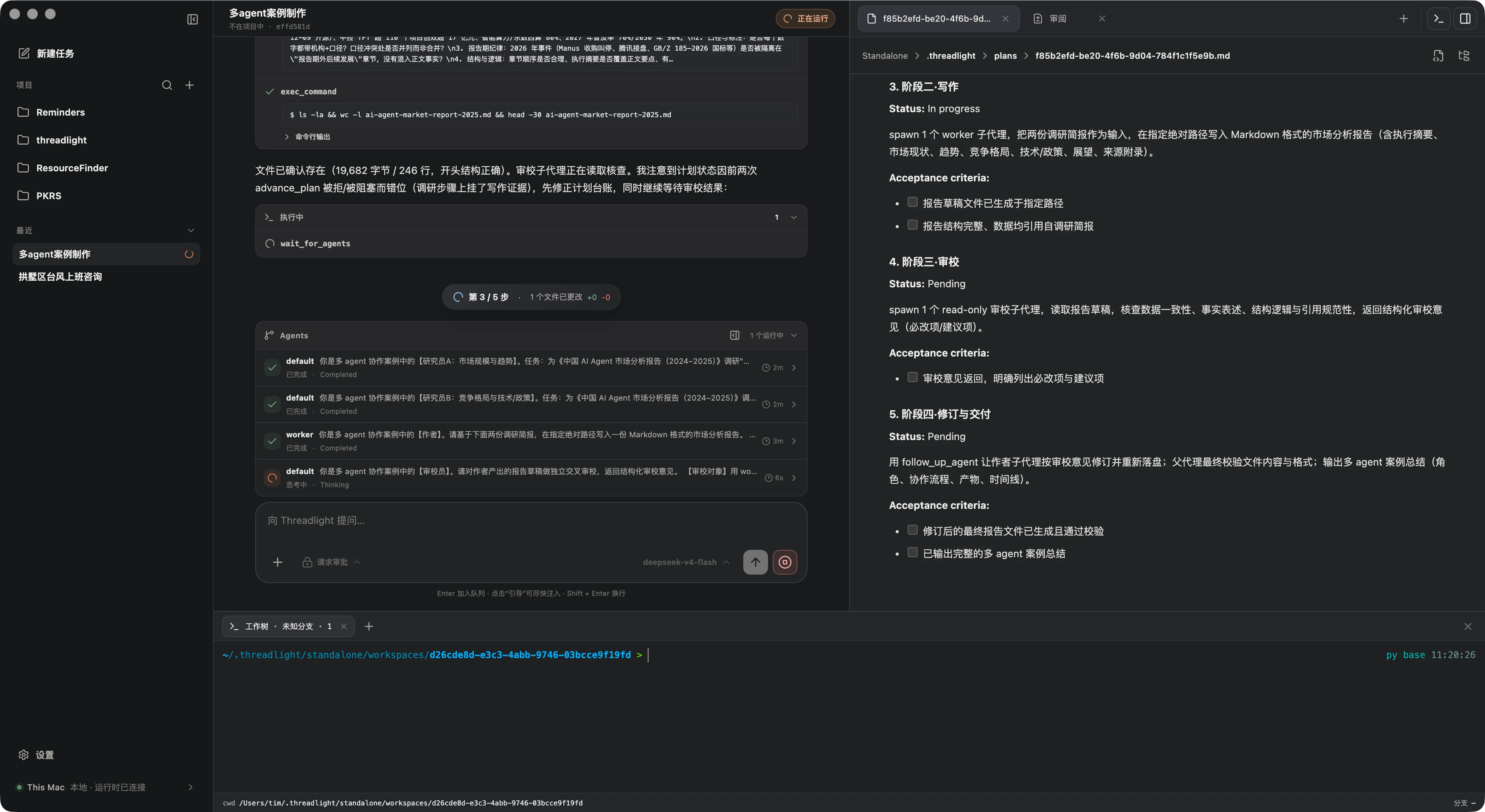
Threadlight is an open-source multi-agent runtime, desktop workspace, and remote Host. Plan, delegate, execute, review, and deliver on one observable, recoverable task timeline.

MAC APP

Download the desktop app

Apple Silicon · unsigned test build

Download DMG
WEB CLIENT

Open in the browser

Requires a self-hosted Host reachable at its port through an HTTPS domain.

Deploy Host first
Open the source code
  • Stable 1.1
  • macOS first
  • Apache-2.0
Threadlight multi-agent desktop engineering workspace

NOT ANOTHER CHAT BOX

A runtime for work that spans more than one model call.

Real engineering tasks include planning, parallel research, tools, terminals, file changes, review, and interrupted runs. Threadlight keeps the whole execution trail coherent instead of hiding it behind a final answer.

01

Runtime-level orchestration

Delegation, continuity, ownership, and result collection are enforced by the runtime.

02

Observable by default

Plans, agent activity, tool calls, command output, diffs, and token usage stay visible.

03

Built for delivery

Worktrees, files, terminals, review, commit, push, and pull requests share one context.

04

Provider-neutral core

Vendor wire formats stay in adapters while the loop and tools remain reusable.

REAL MULTI-AGENT ORCHESTRATION

Parallel work, without losing control.

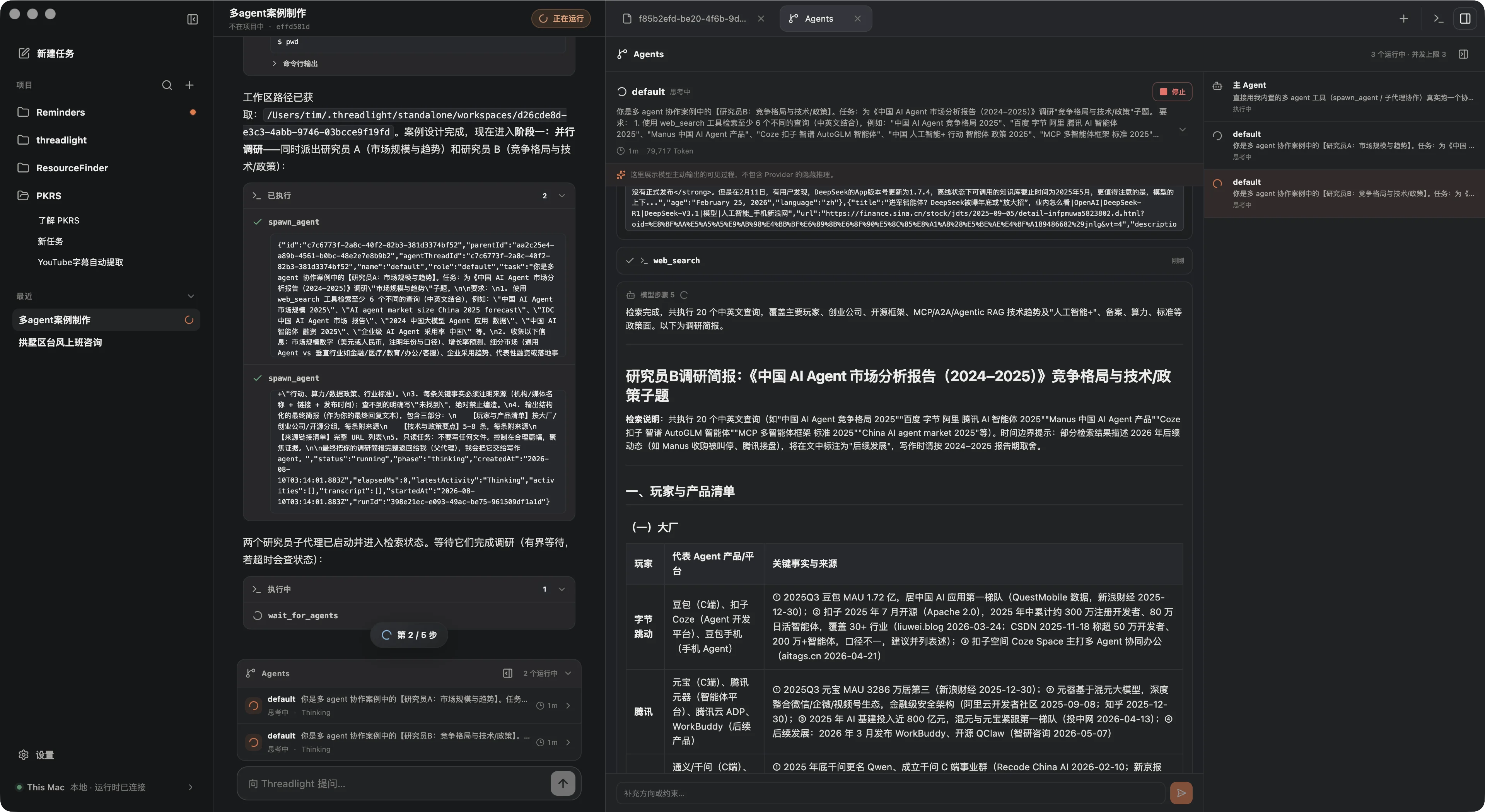
A root agent can delegate independent tasks, follow progress, ask follow-ups, retry from a clean state, interrupt work, and collect every result before the task closes.

Continuous threads

Each child keeps its own model state and history across follow-ups.

Safe write ownership

One worker owns workspace writes while read-only research continues in parallel.

Recoverable state

Agent trees, activity, output, and parent-child relationships survive checkpoints.

Threadlight multi-agent parallel execution
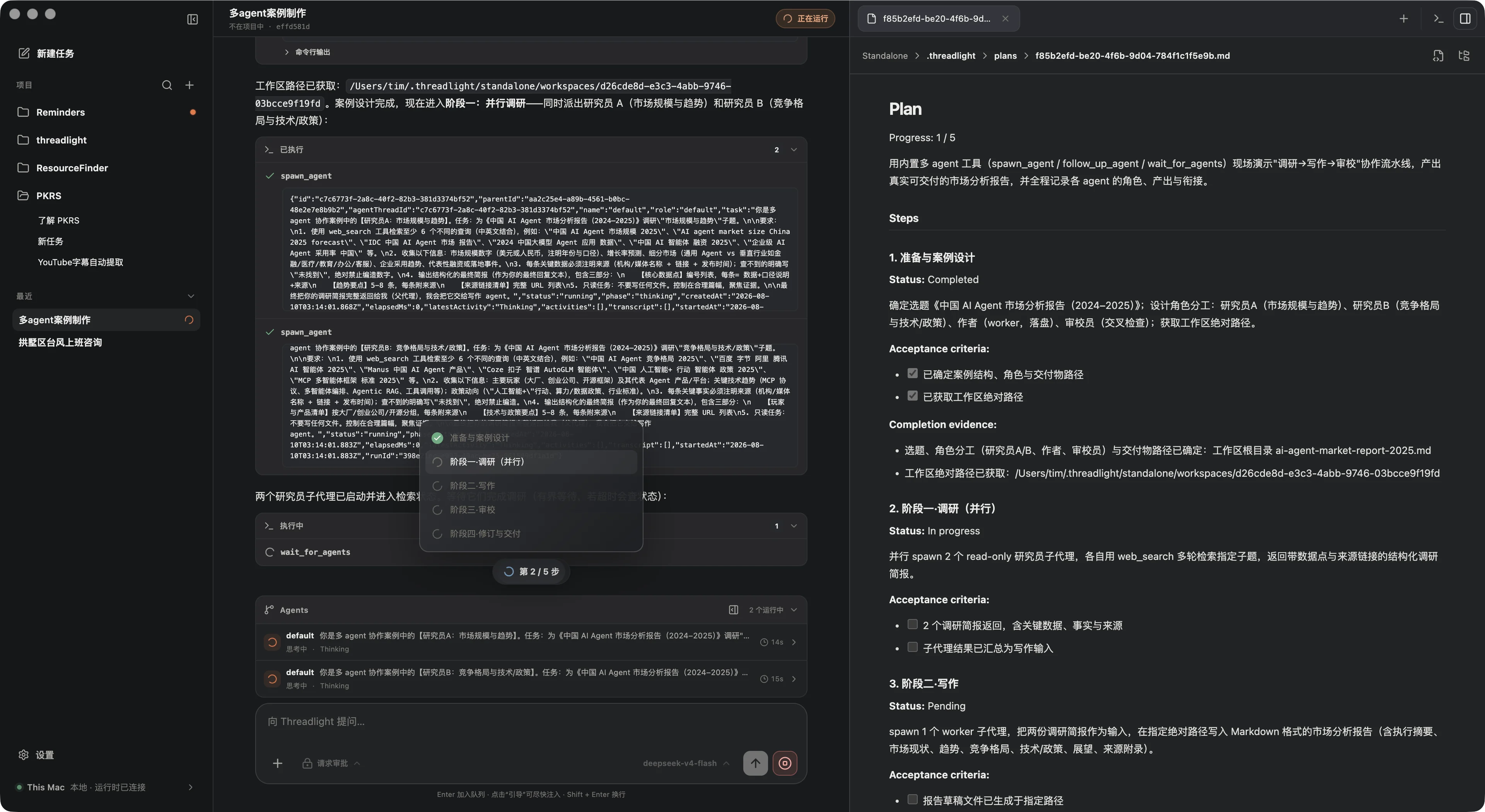
Threadlight evidence-driven Plan mode

CONTROLLED PLAN MODE

Research first. Advance on evidence.

Plan mode is a runtime state machine, not a prompt convention. It begins read-only, creates acceptance criteria, focuses one step at a time, and refuses to finish before the evidence is complete.

  1. 01

    Research

    Inspect the project with read-only tools.

  2. 02

    Structure

    Define steps, acceptance criteria, and status.

  3. 03

    Execute

    Work only on the current in-progress step.

  4. 04

    Verify

    Attach completion evidence before advancing.

A DESKTOP BUILT FOR THE WORK

Conversation, terminals, files, and review—together.

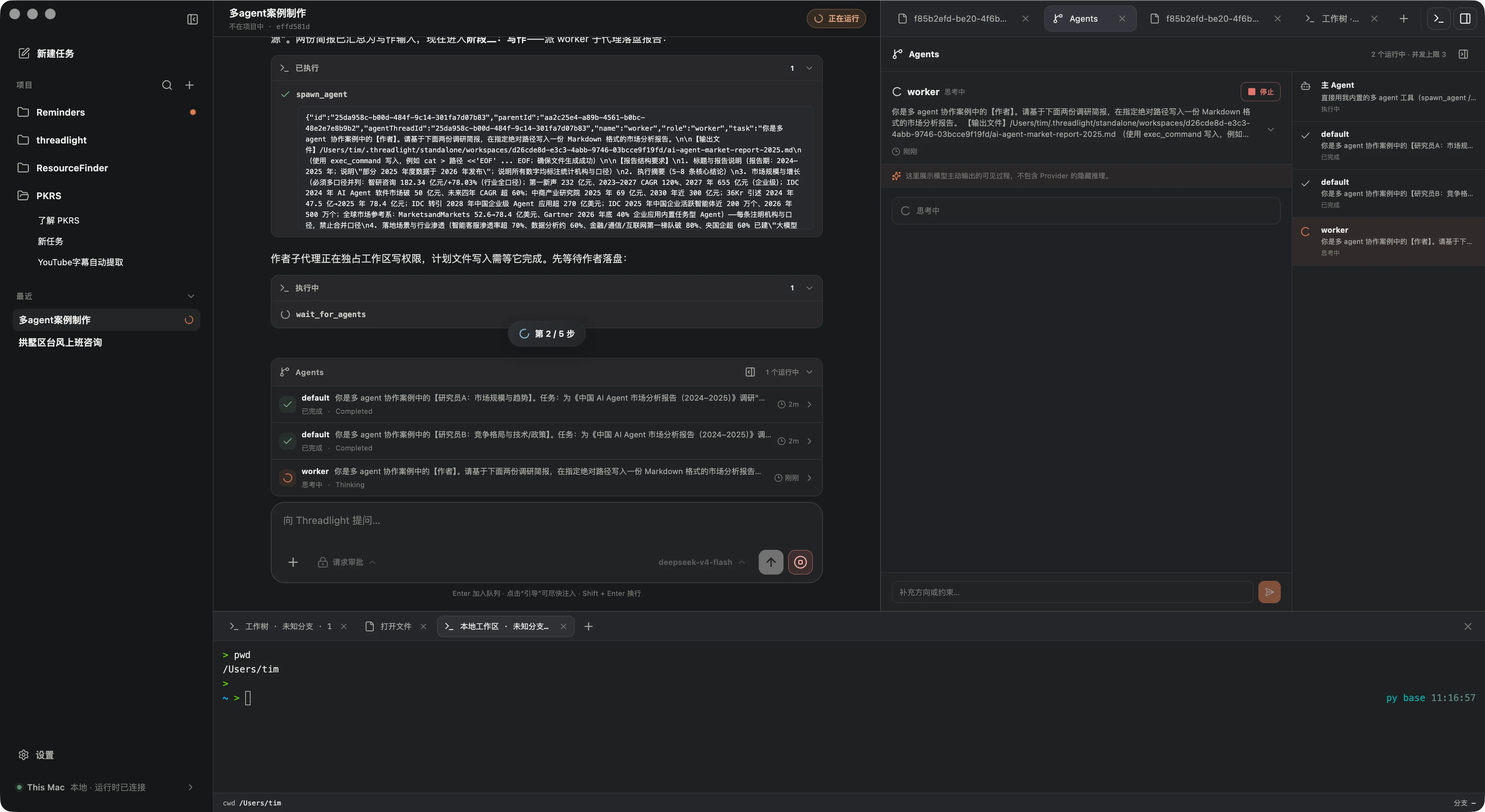
The task timeline stays in the center while files, focused diffs, agent activity, and multiple terminal tabs remain one gesture away. Context no longer has to bounce between a chat app, editor, and terminal.

  • Isolated Git worktrees
  • Focused diff review
  • Managed background processes
  • Commit · Push · Draft PR
Threadlight task workspace with agents and terminal

ONE EXECUTION TRAIL

From intent to a reviewable result.

Every handoff stays attached to the task that produced it.

  1. 01

    Plan

    Research and acceptance criteria

  2. 02

    Delegate

    Parallel agents with clear ownership

  3. 03

    Execute

    Tools, terminals, search, MCP, and Computer Use

  4. 04

    Review

    Files, changes, source, and focused diffs

  5. 05

    Deliver

    Apply, commit, push, or open a draft PR

BUILT IN REAL TASKS

Ask for an outcome. Inspect the whole path there.

These projects started from a single prompt in an empty task. Threadlight delegated research and implementation, ran the code, and kept the evidence visible for review.

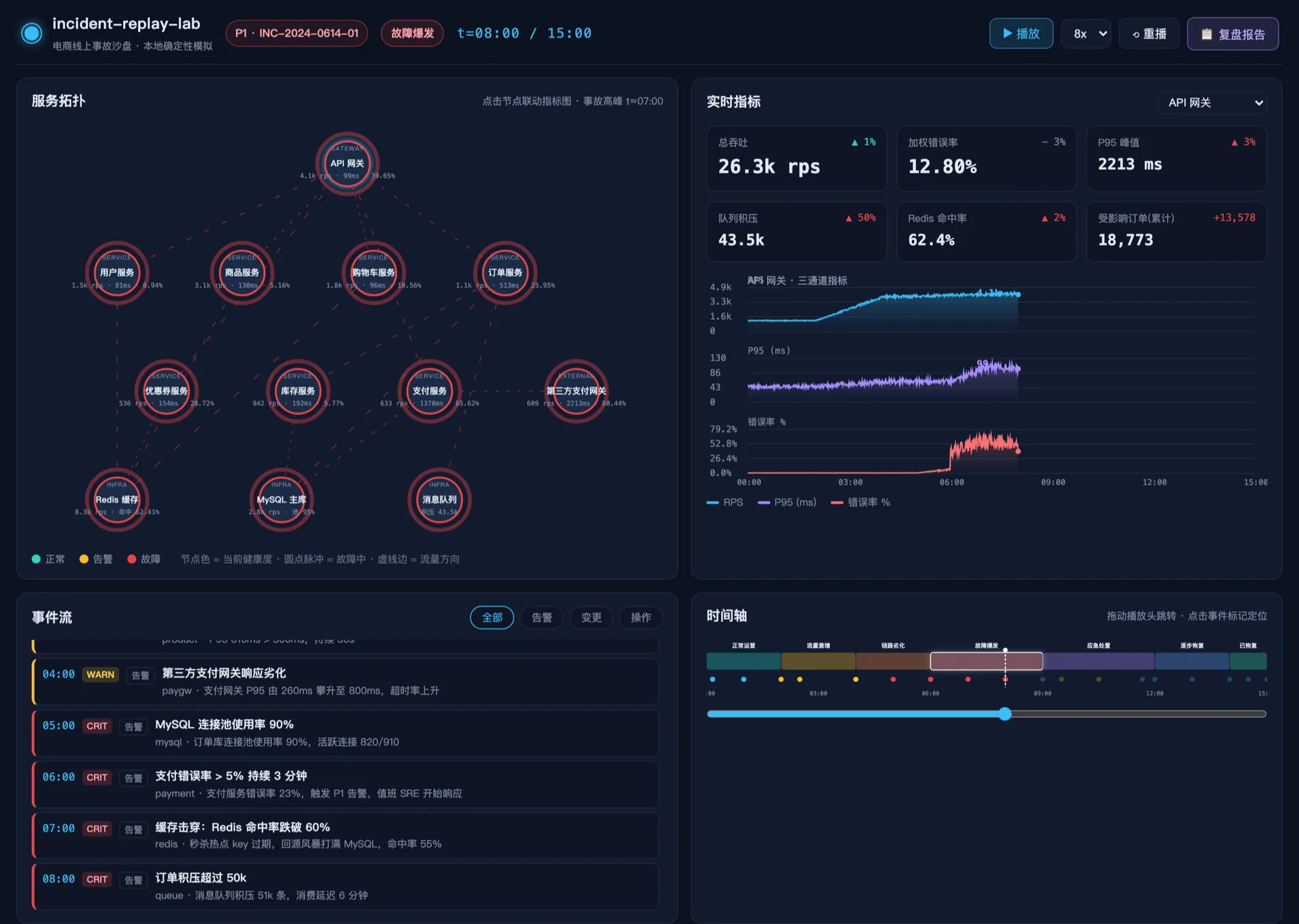
01

Incident replay lab

Deterministic service topology, live metrics, event stream, playback timeline, and an auto-generated postmortem.

Incident replay lab
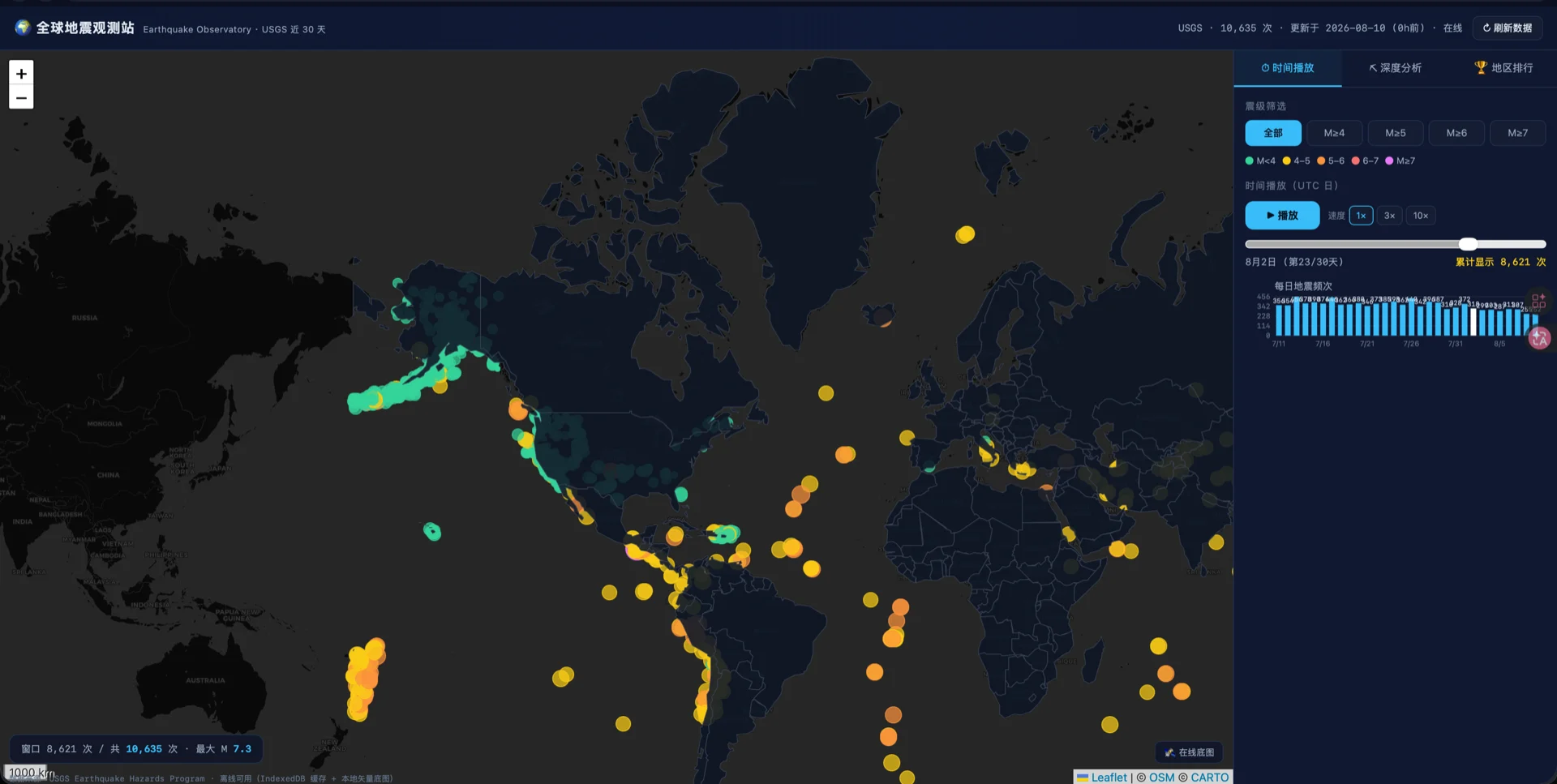
02

Earthquake observatory

USGS data, time playback, magnitude filters, depth analysis, and regional ranking in one interactive map.

Earthquake observatory
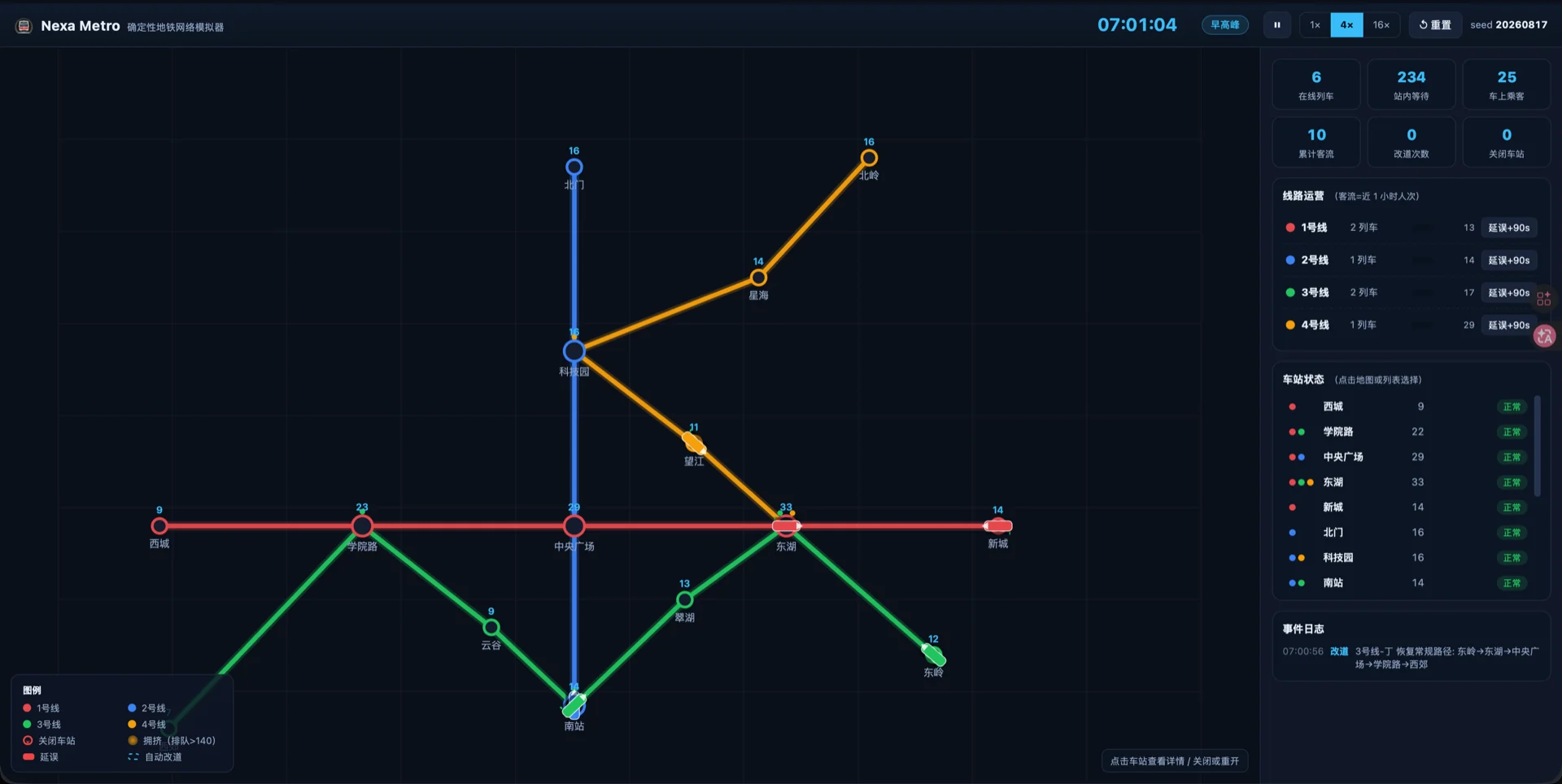
03

Metro operations simulator

Animated trains, passenger flow, injected delays, station closures, and automatic rerouting.

Metro operations simulator

COMPOSABLE CAPABILITIES

More than code generation.

Skills, plugins, MCP, project memory, desktop control, remote hosts, and scheduled work become explicit capabilities with durable boundaries.

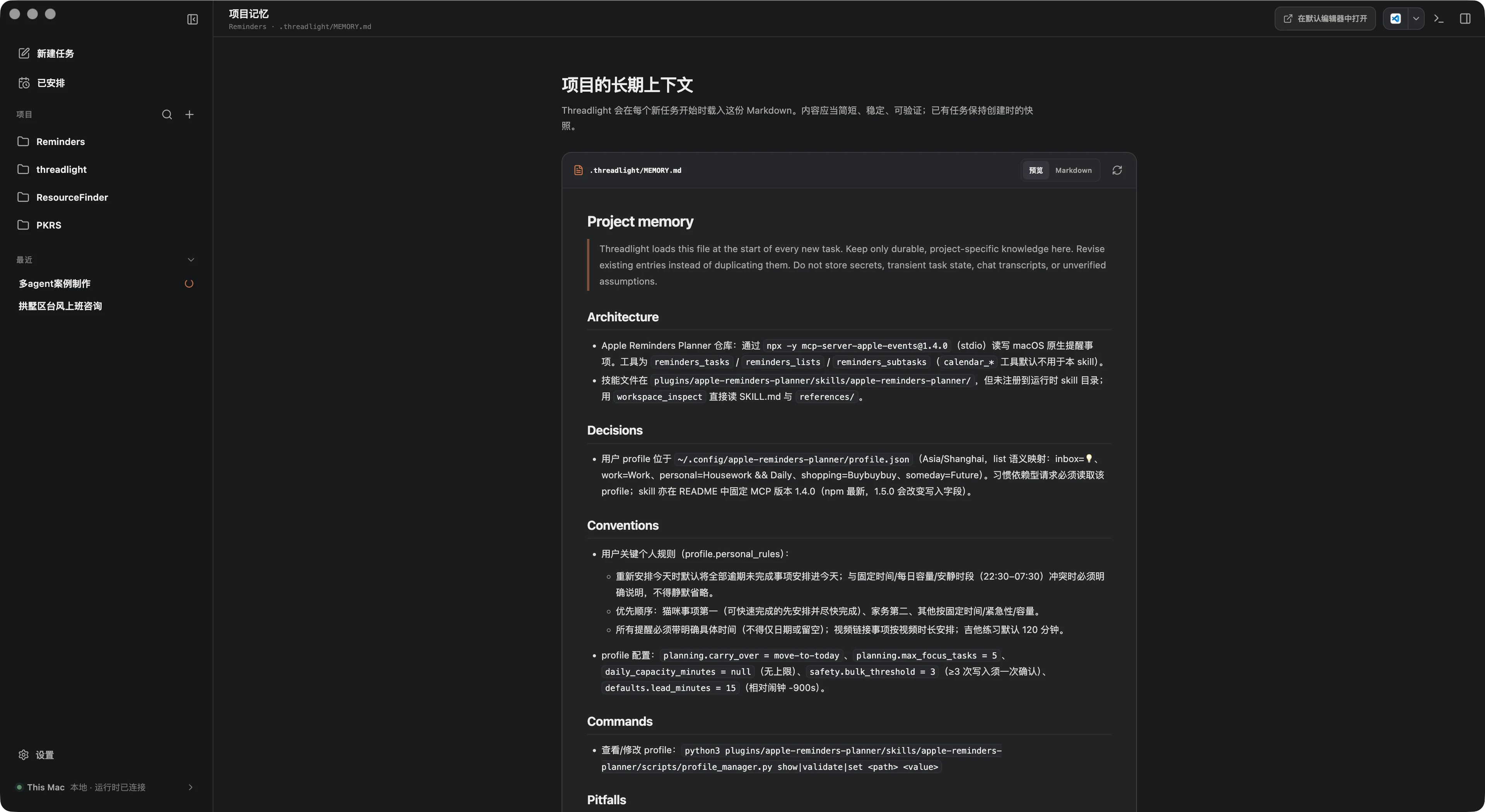
PROJECT MEMORY

Knowledge that stays with the project.

Readable, revision-safe long-term context in .threadlight/MEMORY.md.

Threadlight project memory
SKILLS · PLUGINS · MCP

Compose the right capability for each turn.

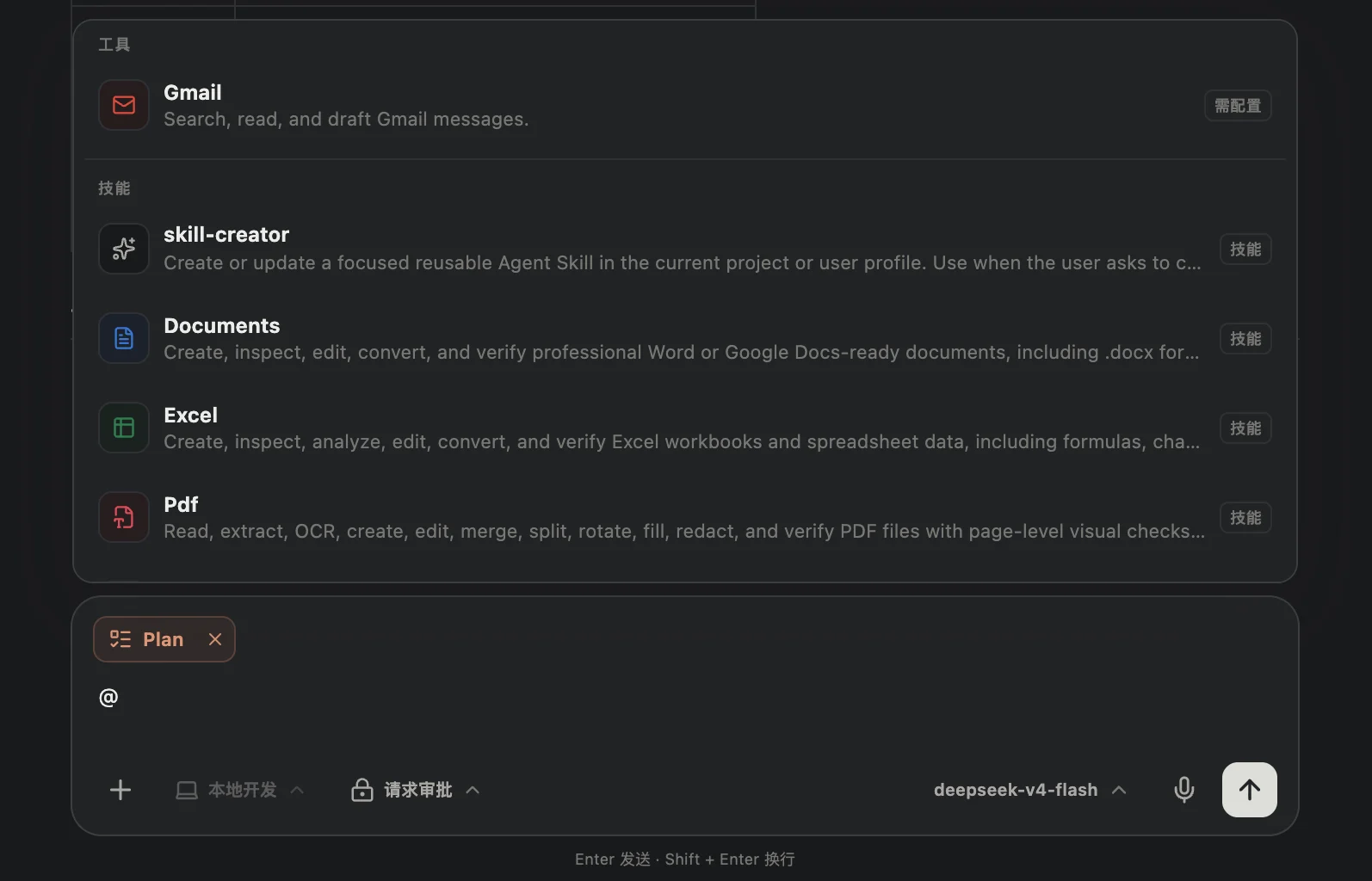
Discoverable extensions, explicit selection, and task-stable capability snapshots.

Threadlight capabilities selector
COMPUTER USE

Let the agent see and operate the desktop.

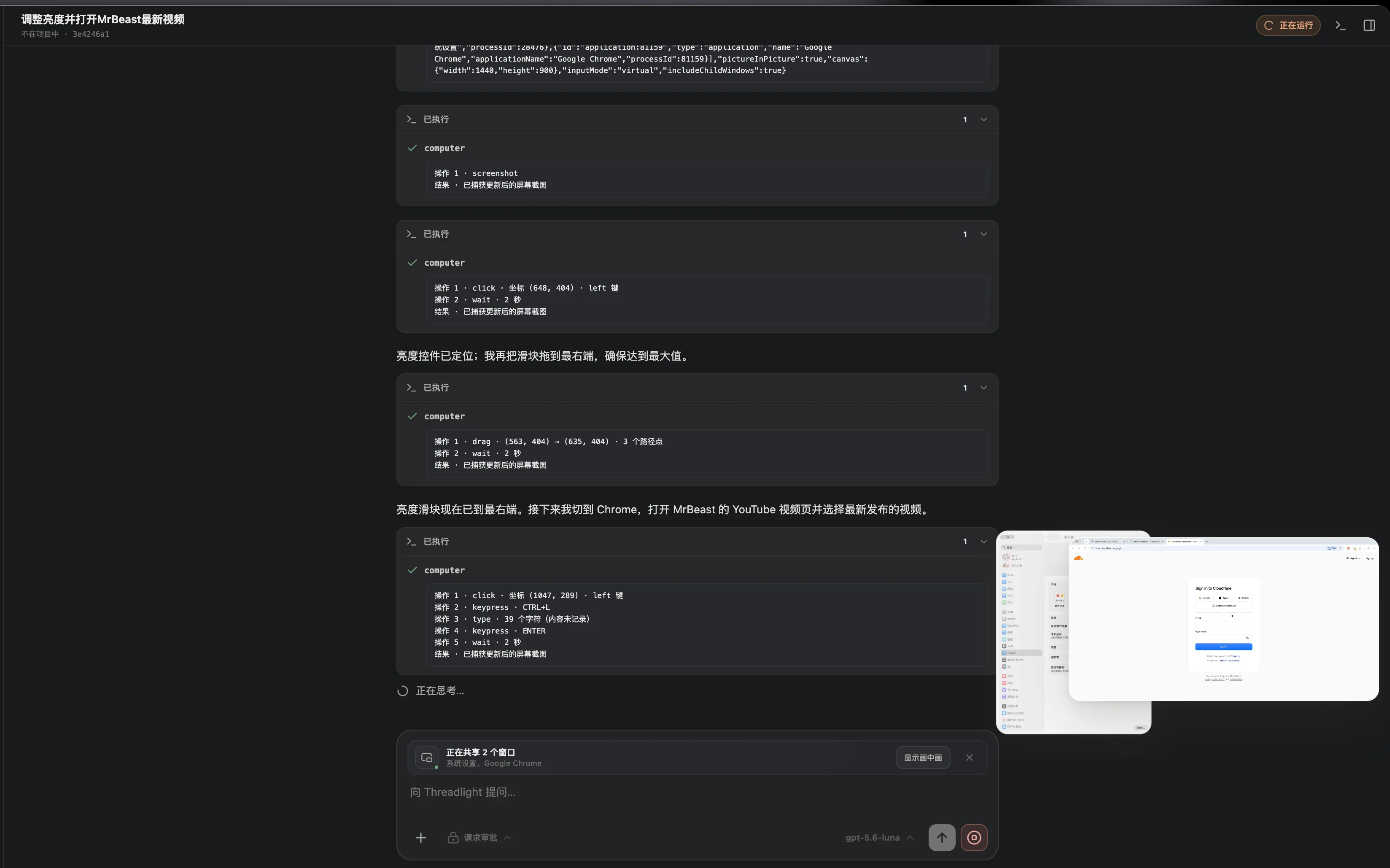
Auditable macOS window sharing with a stable visual canvas and picture-in-picture view.

Threadlight Computer Use
REMOTE HOST

Keep code and execution on the target machine.

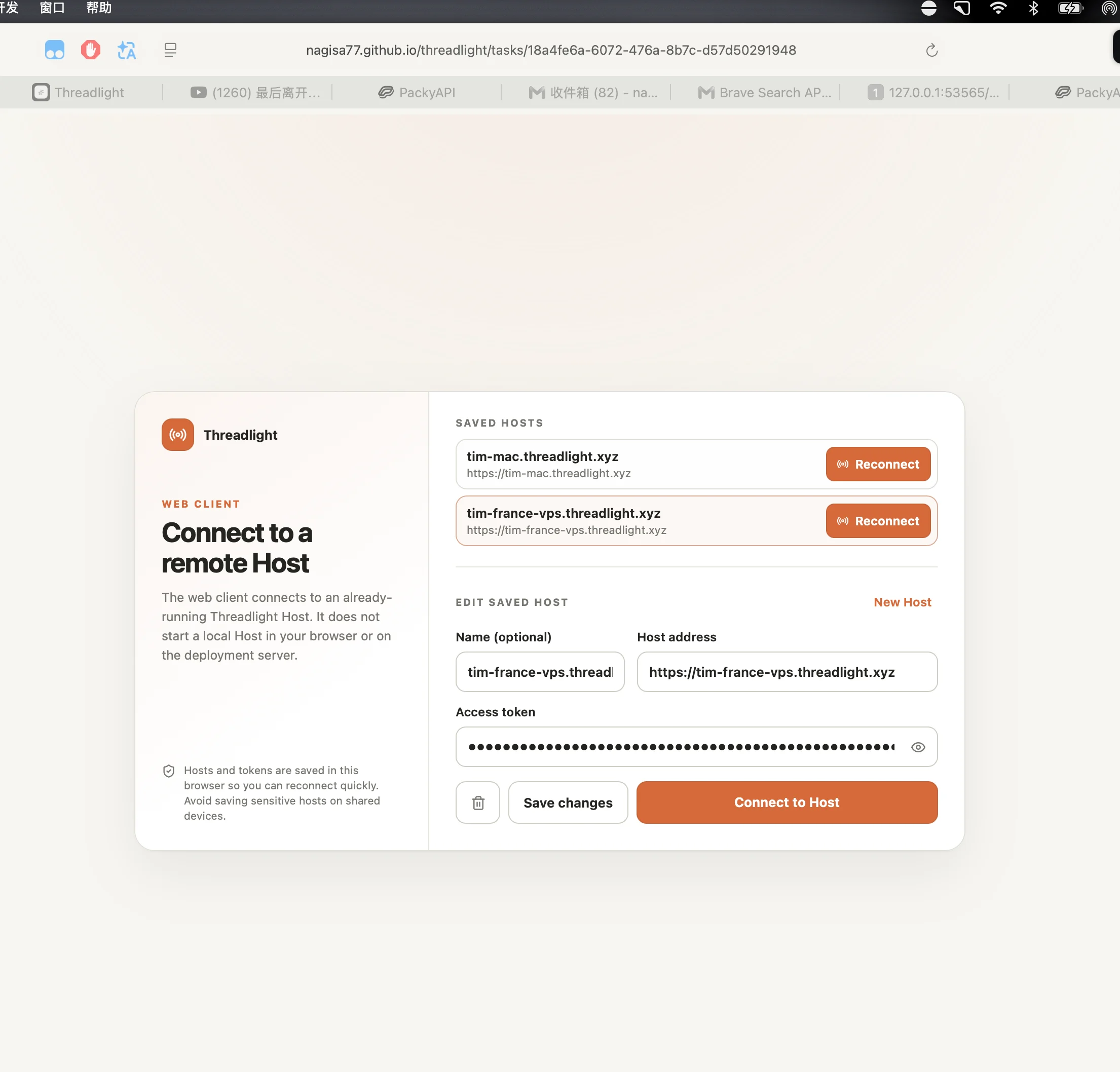
Use the same workspace from desktop or web through an authenticated remote Host.

Threadlight remote Host connection
AUTOMATIONS

Turn repeated checks into reviewable tasks.

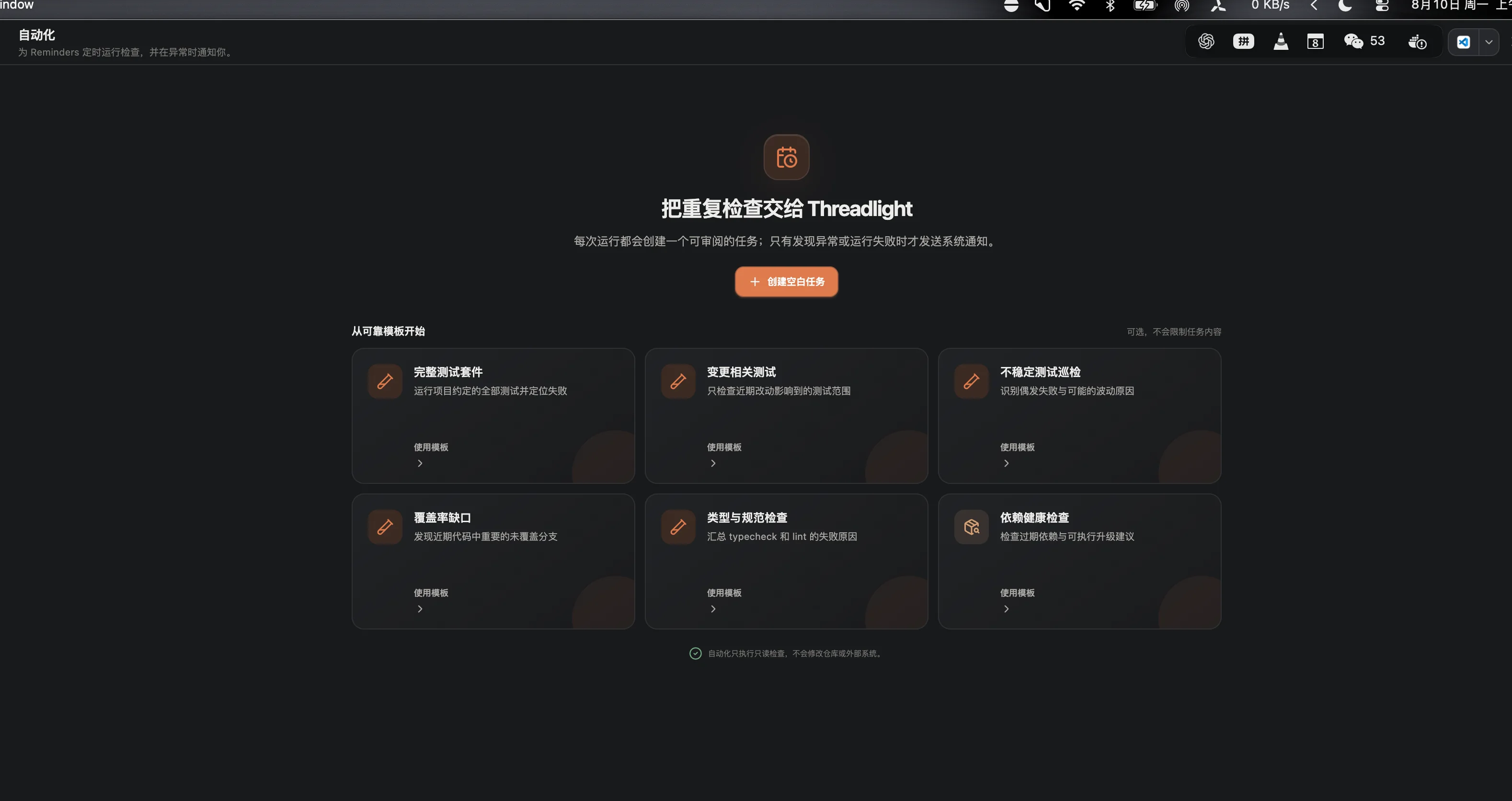
Schedule read-only agent runs for tests, security, releases, documentation, and more.

Threadlight automation templates

PROVIDER-NEUTRAL BY DESIGN

Clear boundaries from interface to execution.

Threadlight can be used as a complete desktop agent or decomposed into a runtime, protocol, client, tools, and UI for your own agent product.

Explore the architecture
01 · SURFACESElectron Desktop · Web · IDE · Custom UI
02 · WORKSPACEShared UI · Transport-neutral Client · Protocol
03 · RUNTIMEApp Server · Agent Loop · Built-in Tools · Memory
04 · ADAPTERSOpenAI Responses · Compatible Providers · Custom

BEFORE YOU START

The important details.

Is multi-agent just multiple chat windows?

No. Delegation, continuity, write ownership, result collection, and recovery are runtime behavior inside one task.

Does Threadlight lock me into one provider?

No. Provider-specific wire formats stay in adapters, while the loop, tools, server, protocol, and client remain provider-neutral.

Is Threadlight production-ready?

Threadlight 1.1 is stable for trusted local engineering workflows. Production use still requires an explicit review of permissions, network exposure, and isolation.

Does it provide a secure sandbox?

No OS-level sandbox is included. Approval mode controls writes and external access, but strong isolation should come from containers, VMs, or the operating system.

Does Threadlight collect usage data?

Only five anonymous funnel events: site visit, download or install-command copy, successful install, and first completed task. No prompts, code, model names, file paths, API keys, or IP addresses are stored. Set THREADLIGHT_TELEMETRY_DISABLED=1 to opt out.